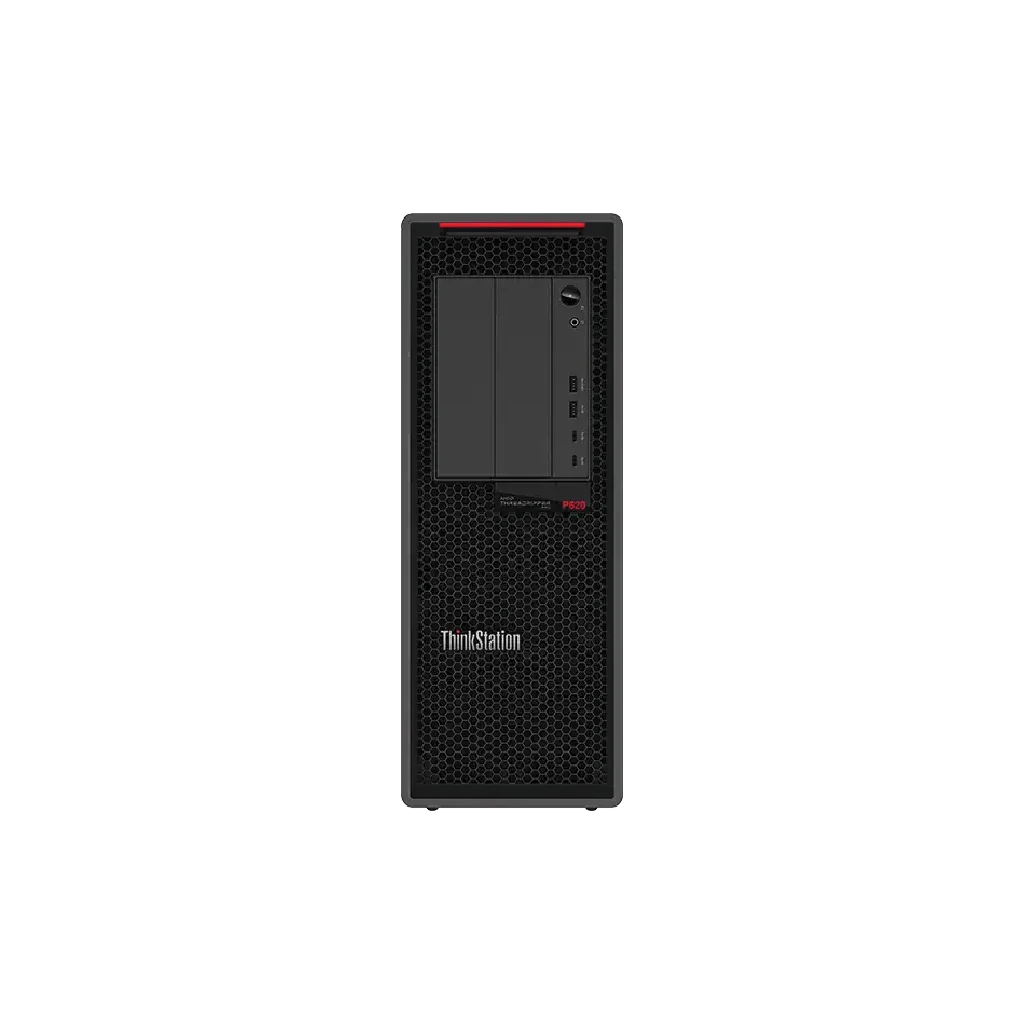
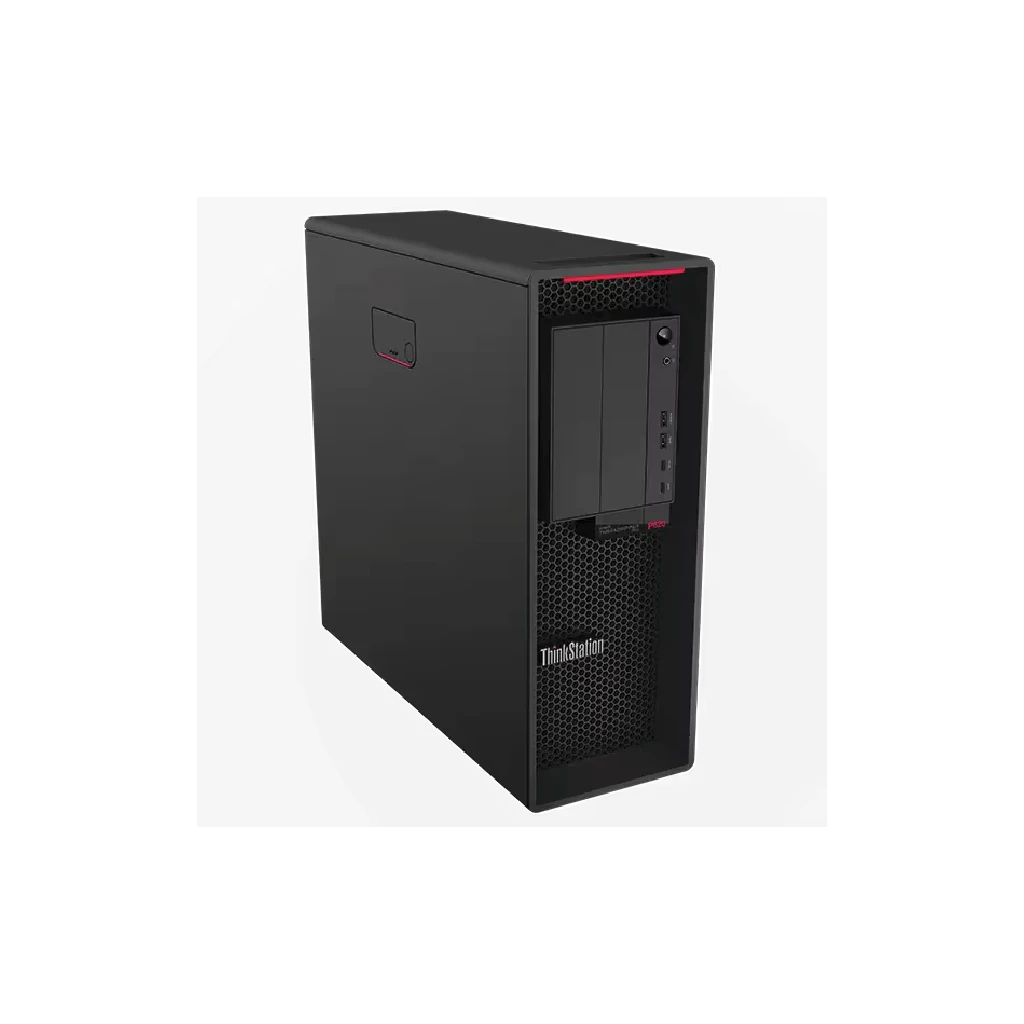
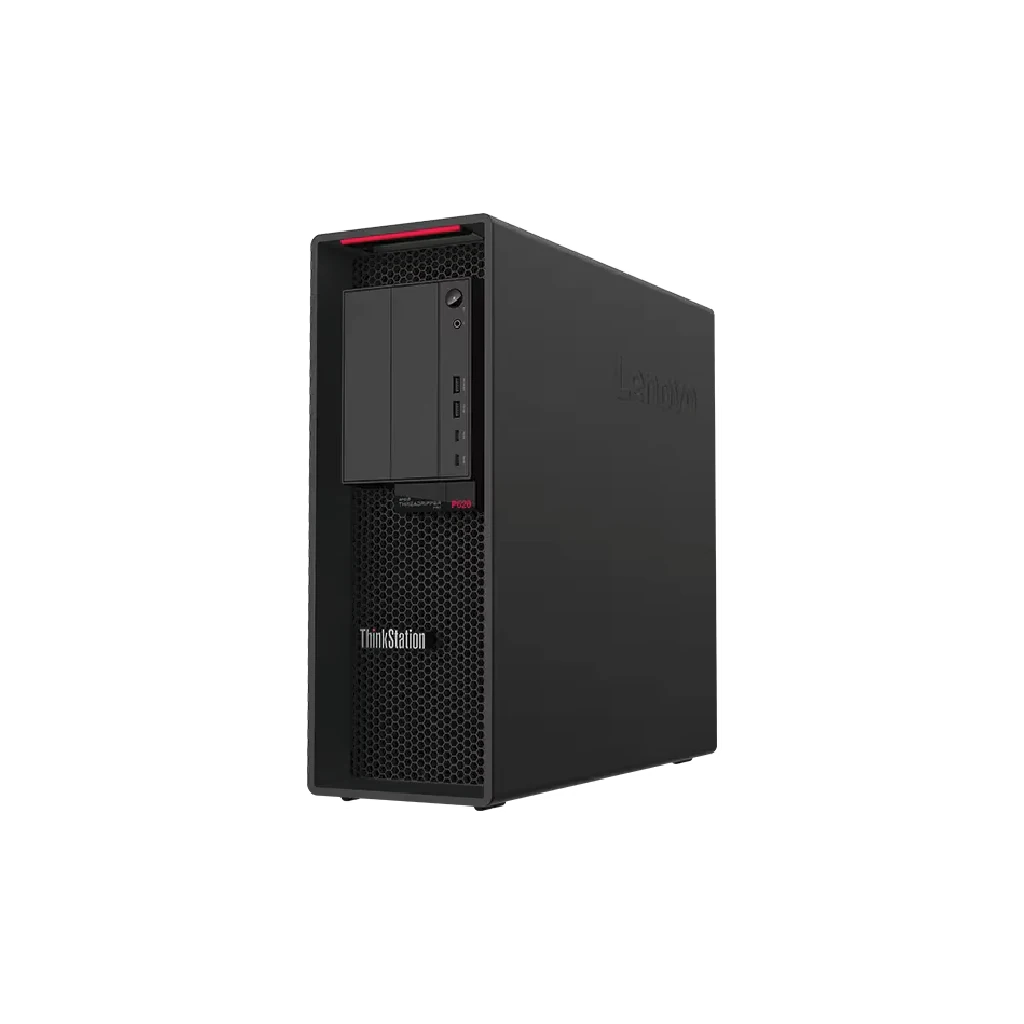
This AMD technology in Lenovo ThinkStation P620 Workstation gives the P620 up to 64 cores and 128 threads—all from a single CPU. Simply put, other workstations would need at least two CPUs to accomplish what the P620 with AMD Ryzen Thread ripper PRO can do with one.
| 30E000S0AX | |
|---|---|
| Processor | AMD Ryzen Thread ripper PRO 5955WX |
| OS | Windows 11 DG Windows 10 Pro |
| Memory | 32 GB DDR4 |
| Graphics | No Graphic Card |
| Storage | 1 TB SSD |
| Power | 1000W |
| Dimensions | 165 x 460 x 446 mm |
| Weight | 24 kg |
| Warranty | 3 Year Onsite |
| Action | Get a Quote |
AMD Ryzen™ Threadripper™ PROgives the ThinkStation P620 up to 64 cores and 128 threads—all from a single CPU. Simply put, other workstations would need at least two CPUs to accomplish what the P620 can do with one.
The ThinkStation P620 workstation tower is equipped with abundant storage and memory capacity, numerous expansion slots, enterprise-class AMD Ryzen PRO manageability, and security features. With unprecedented visual computing powered by NVIDIA® professional graphics support, this eminently configurable workstation is equipped with up totwo NVIDIA® RTX™ A6000 graphics cards with NVLink.
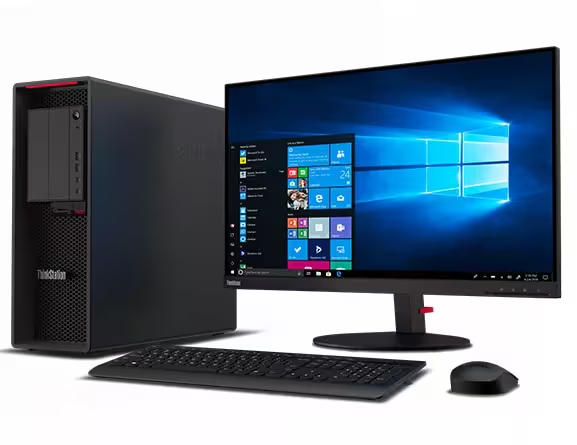
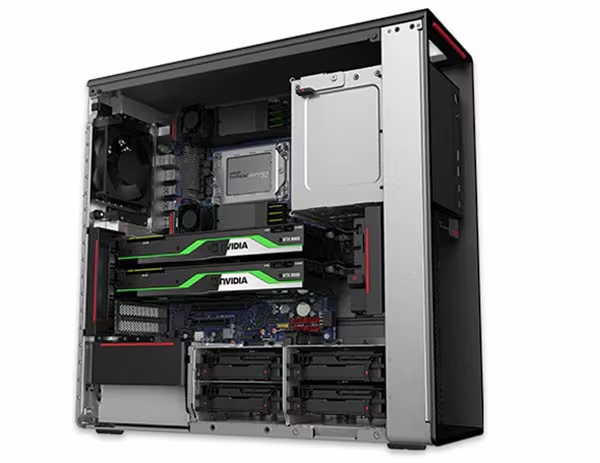
An air-cooled thermal system helps ensure the ThinkStation P620 tower runs well in any location, allowing the CPUs and GPUs to stay cool while running at peak performance until the job is done. What’s more, tool-less accessibility to the chassis enables easy upgrades if needed.
With independent software vendor (ISV) certifications, the P620 workstation works across the full range of industry verticals including Architecture, Engineering, & Construction, Media & Entertainment, Healthcare / Life Science, Oil & Gas / Energy, Finance, and AI / VR. It’s perfect for multithreaded compute-intensive applications used by architects, engineers, scientists, geophysicists, and more.
ThinkShield, our built-in suite of security solutions, keeps your ThinkStation P620 tower and your critical data safe. The Trusted Platform Module (TPM) firmware uses encryption to significantly decrease the possibility of hacking. You can relax knowing that serial, parallel, USB, audio, and network ports can all be disabled. Plus, set up a BIOS password as well as a power-on password to ensure access remains restricted. For additional physical security, choose the optional Side-Cover Key Lock Kit to prevent access to the system.
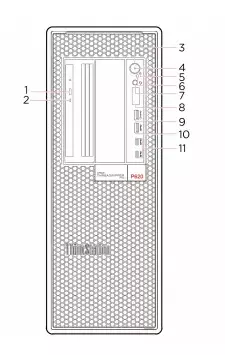
Front View:
| 1. | Optical drive eject button | 2. | Optical drive activity indicator |
| 3. | Optical drive activity indicator | 4. | Power indicator |
| 5. | Power indicator | 6. | Power indicator |
| 7. | Headset connector | 8. | Four-digit diagnostic display |
| 9. | Four-digit diagnostic display | 10. | Four-digit diagnostic display |
| 11. | USB-C (3.2 Gen 2) connector |
| 1. | Microphone connector | 2. | Microphone connector |
| 3. | Microphone connector | 4. | Serial connector |
| 5. | PS/2 keyboard connector | 6. | PS/2 mouse connector |
| 7. | USB 2.0 connectors | 8. | USB 3.2 connectors Gen 2 |
| 9. | Ethernet connector | 10. | PCI-Express card area |
| 11. | Power cord connector | 12. | Key-nest slots |
| 13. | Security-lock slot |
Rear View:
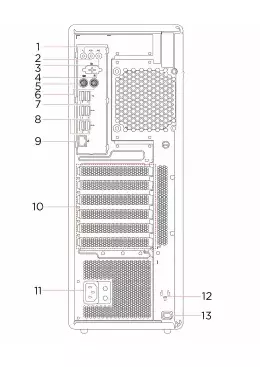
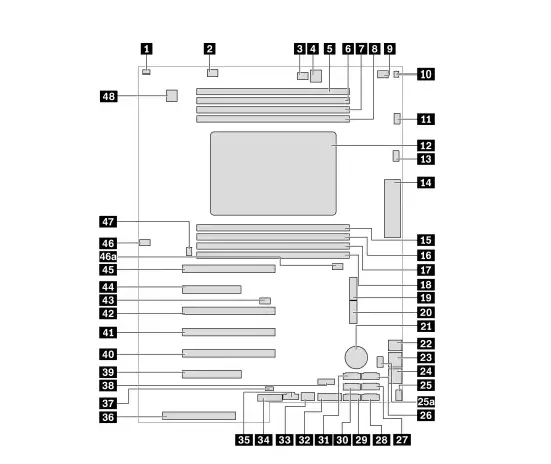
System Board:
| 1. | Cover presence switch connector (intrusion switch connector) | 2. | Memory fan connector 1 |
| 3. | Optical-drive fan connector 2 | 4. | 4-pin power connector (for optical drive) |
| 5. | Memory slot 1 | 6. | Memory slot 2 |
| 7. | Memory slot 3 | 8. | Memory slot 4 |
| 9. | Optical-drive fan connector | 10. | Thermal-sensor connector |
| 11. | Microprocessor fan connector 1 | 12. | Microprocessor | 13. | Microprocessor fan connector 2 |
| 14. | Front input/output connector | 15. | Memory slot 5 | 16. | Memory slot 6 |
| 17. | Memory slot 7 | 18. | Memory slot 8 | 19. | M.2 solid-state drive slot 1 |
| 20. | M.2 solid-state drive slot 2 | 21. | Coin-cell battery | 22. | 4-pin power connector (for storage drive) |
| 23. | 8-pin power connector (for graphics card) | 24. | 8-pin power connector (for graphics card) | 25. | Front-fan-assembly connector |
| 25(a). | Front-fan-assembly connector | 26. | e SATA / SATA 6 connector | 27. | SATA 4 connector |
| 28. | SATA 2 connector | 29. | SATA 1 connector | 30. | SATA 3 connector |
| 31. | SATA 5 connector | 32. | Media card reader (MCR) header | 33. | Internal USB 3.2 Gen 2 connector |
| 34. | Alternative Trusted Platform Module (TPM) header | 35. | Thunderbolt control connector | 36. | Power supply connector |
| 37. | Internal-storage-drive activity indicator connector | 38. | Internal USB 2.0 connector | 39. | PCIe 4.0 x 8 card slot 6 |
| 40. | PCIe 4.0 x 16 card slot 5 | 41. | PCIe 4.0 x 16 card slot 5 | 42. | PCIe 4.0 x 16 card slot 3 |
| 43. | Clear CMOS / Recovery jumper | 44. | PCIe 4.0 x 8 card slot 2 | 45. | PCIe 4.0 x 16 card slot 1 |
| 46. | Memory fan connector 2 | 46(a). | Memory fan connector 2 | 47. | Rear-fan-assembly connector |
| 48. | Serial port (COM) connector |
| Processor | AMD Ryzen Thread ripper PRO (up to 4.5GHz; up to 64 Cores) |
| Chipset | AMD 2019 Premium Chipset BXB-B |
| Operating System | Windows 11 Pro Windows 10 Pro (preinstalled through downgrade rights in Windows 11 Pro) Ubuntu Linux1 Red Hat Enterprise Linux (certified) |
| Graphics | Up to 2 NVIDIA RTX A6000 |
| Total Memory | Up to 1TB DDR4, 3200MHz |
| Total Storage | Up to 6 total drives Up to 4 internal storage bays Max M.2 = 2 (4TB) Max 3.5" = 4 (16TB) |
| Expansion Slots | (4) PCIe 4.0 x 16 Gen 4 (2) PCIe 4.0 x 8 Gen 4 |
| Power Supply | 1000W, 92% efficient |